HardwarePlace
Read Temperature and Humidity from DHT11 using Arduino
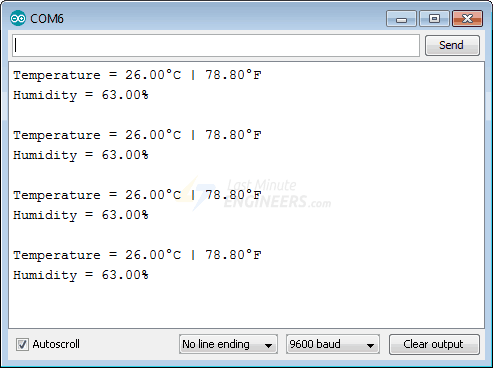
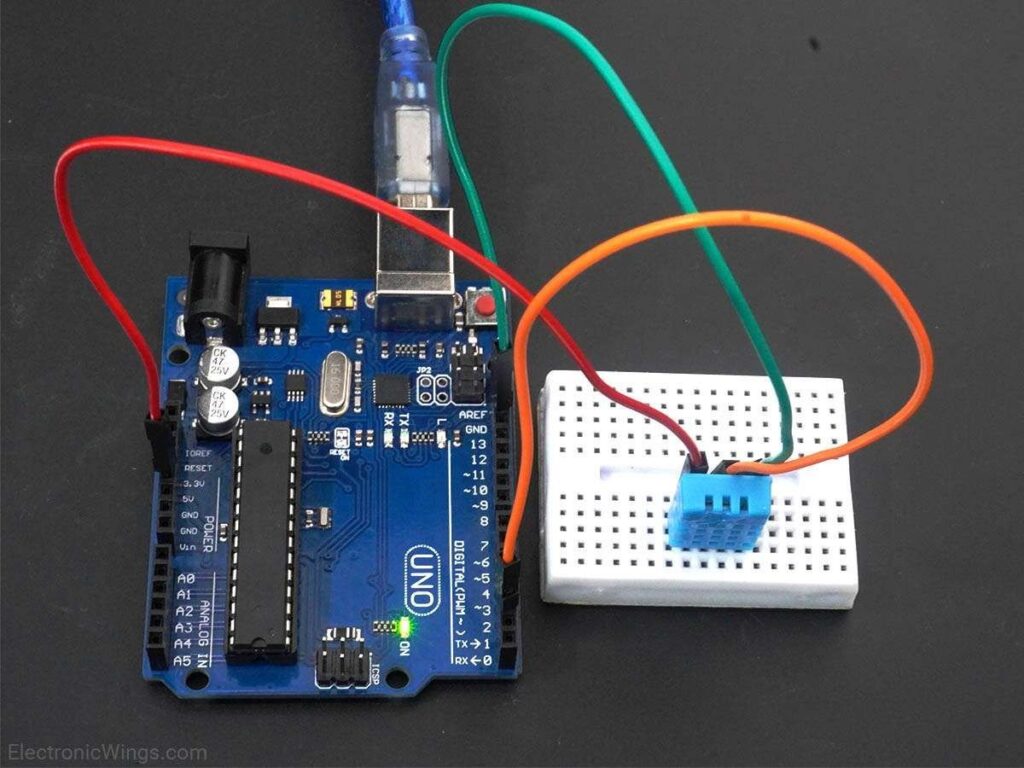
Reading temperature and humidity from a DHT11 sensor.
Here, we will be using a DHT11 library by Mark Ruys from GitHub.
Download this library from here.
Extract the library and add the folder to the libraries folder path of Arduino IDE.
For information about how to add a custom library to the Arduino IDE and use examples from it, refer Adding Library To Arduino IDE in the Basics section.
Once the library has been added to the Arduino IDE, open the IDE and open the example sketch named DHT_Test from the library added.
code
#include <dht.h>        // Include library
#define outPin 8        // Defines pin number to which the sensor is connected

dht DHT;                // Creates a DHT object

void setup() {
	Serial.begin(9600);
}

void loop() {
	int readData = DHT.read11(outPin);

	float t = DHT.temperature;        // Read temperature
	float h = DHT.humidity;           // Read humidity

	Serial.print("Temperature = ");
	Serial.print(t);
	Serial.print("°C | ");
	Serial.print((t*9.0)/5.0+32.0);        // Convert celsius to fahrenheit
	Serial.println("°F ");
	Serial.print("Humidity = ");
	Serial.print(h);
	Serial.println("% ");
	Serial.println("");

	delay(2000); // wait two seconds
}